
How to Connect Claude Code to Instagram: Every Method for Posting and Tracking Metrics

Instagram is where brands live. Over 2 billion monthly active users, the highest engagement rates of any major social platform, and an algorithm that rewards consistent, well-timed posting. If you’re using Claude Code as your AI development environment, connecting it to Instagram means your agent can publish content, pull analytics, and optimize your strategy — all from the terminal.
The problem: Instagram’s API landscape is fragmented, recently overhauled, and confusing. The Basic Display API died in December 2024. Personal accounts lost all third-party access. The Graph API requires a Business account, a Meta App, and an approval process. And sitting between the official path and outright rule-breaking is a growing ecosystem of MCP servers, third-party APIs, and community-built skills that bridge Claude Code to Instagram.
We analyzed over 15 sources — official Meta documentation, GitHub repositories, third-party service pricing pages, and community discussions — to map every viable method. Here’s what works, ranked by what we’d recommend for most people.
The Instagram API Landscape in 2026
Before picking an approach, you need to understand what changed and why the landscape looks the way it does.
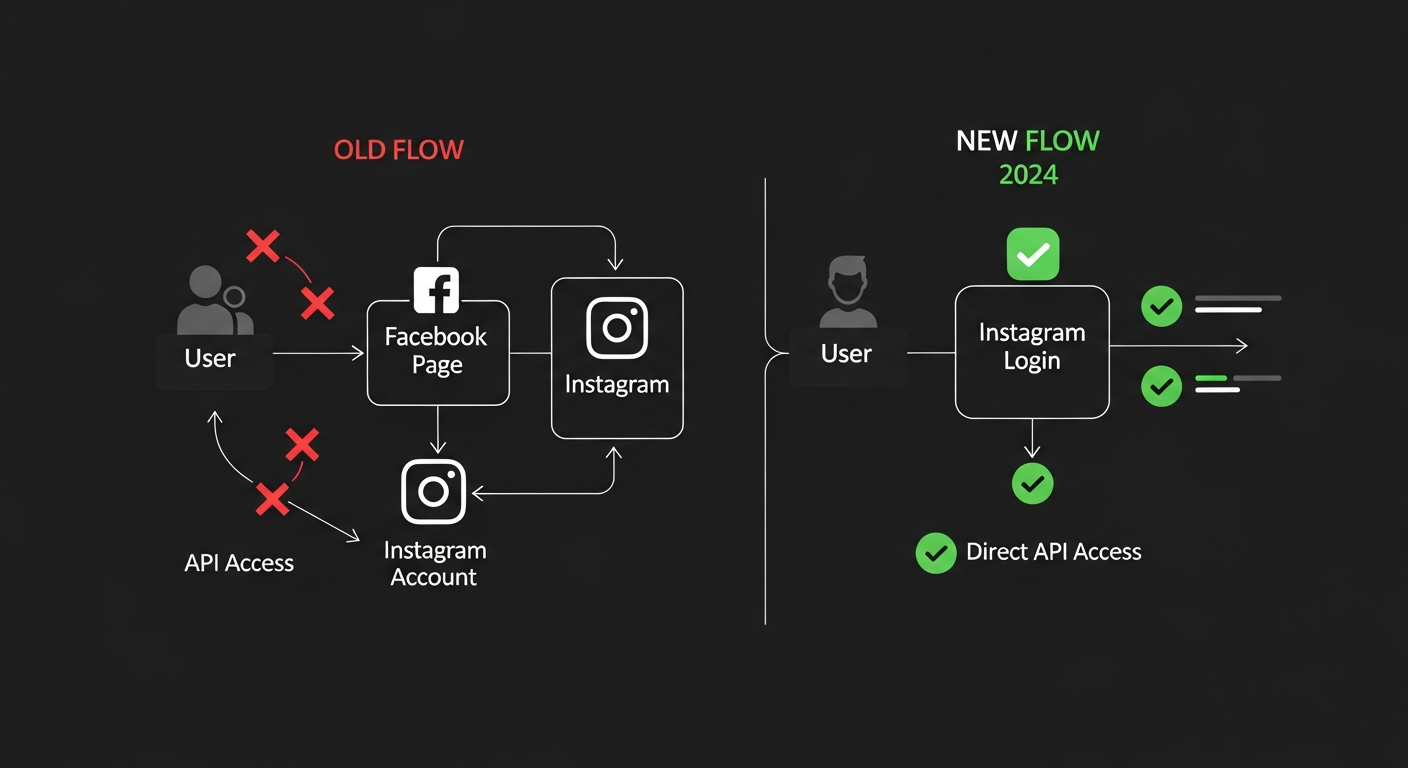
The Basic Display API is dead. As of December 4, 2024, Meta shut down the Basic Display API entirely. This was the only official way for personal accounts to connect to third-party apps. Its deprecation means:
- Personal Instagram accounts have zero official API access
- All programmatic Instagram interactions require a Business or Creator account
- The only remaining official API is the Instagram Graph API
New: Instagram Login (July 2024). Meta introduced a simpler authentication flow that doesn’t require connecting a Facebook Page. You can now authenticate directly through Instagram using the instagram_business_* permission scopes. This is a significant simplification for developers who don’t want to deal with Facebook Page management.
What the Graph API actually supports:
| Content Type | Supported | Notes |
|---|---|---|
| Single Image | Yes | Public URL required |
| Carousel (up to 10) | Yes | Three-step creation process |
| Reels | Yes | MOV/MP4, max 90 seconds |
| Stories | Yes | 24hr duration, no text via API |
| Scheduling | Partial | Images and carousels only; not Reels/Stories |
Key limits:
- 25 API-published posts per 24 hours
- 200 API calls per hour per account
- Long-lived tokens expire after 60 days (must auto-refresh)
- Meta App Review required for production access
Method 1 — ig-mcp: The Instagram MCP Server (Recommended)
Best for: Claude Code users who want full posting + analytics from their terminal Cost: Free (+ Instagram Business account) Compliance: Fully official (uses Graph API) Setup time: 15-30 minutes
The ig-mcp server is the most complete Instagram integration for Claude Code. It’s a Python-based Model Context Protocol server with 77 GitHub stars, zero open issues, and tools for everything from publishing posts to pulling engagement metrics.
What It Can Do
- Get profile information and business account details
- Retrieve recent posts with engagement metrics (impressions, reach, saves, shares)
- Publish images and videos to Instagram
- Access conversation and direct message functionality (requires advanced Meta review)
- Fetch connected Facebook Pages
- Generate engagement analysis and content strategy recommendations
Setup
Prerequisites:
- Instagram Business or Creator account
- Meta Developer account at developers.facebook.com
- Python 3.10+
- A long-lived access token with appropriate permissions
Step 1: Create a Meta App
Go to developers.facebook.com, create a new app (type: Business), and add the Instagram product. Generate your access token with these permissions:
instagram_basicinstagram_content_publishinstagram_manage_insights
Step 2: Install ig-mcp
git clone https://github.com/jlbadano/ig-mcp.git
cd ig-mcp
pip install -r requirements.txt
Step 3: Configure credentials
Create a .env file with:
INSTAGRAM_ACCESS_TOKEN=your_long_lived_token
INSTAGRAM_BUSINESS_ACCOUNT_ID=your_ig_business_id
META_APP_ID=your_app_id
Step 4: Add to Claude Code
Add the MCP server to your Claude Code configuration (.claude/settings.json or Claude Desktop config):
{
  "mcpServers": {
    "instagram": {
      "command": "python",
      "args": ["/path/to/ig-mcp/server.py"],
      "env": {
        "INSTAGRAM_ACCESS_TOKEN": "your_token",
        "INSTAGRAM_BUSINESS_ACCOUNT_ID": "your_id"
      }
    }
  }
}
Step 5: Start using it
Once configured, Claude Code can interact with Instagram directly:
"Post this image to Instagram with caption: Just shipped our new feature — here's what we learned."
"Show me engagement metrics for my last 10 Instagram posts."
"What's my follower growth trend over the last 28 days?"
Token Refresh Strategy
Long-lived tokens expire after 60 days. You need to implement automatic refresh. The simplest approach is a cron job that refreshes the token every 50 days:
curl -X GET "https://graph.instagram.com/refresh_access_token?grant_type=ig_refresh_token&access_token={your_token}"
Store the new token and update your .env file.
Method 2 — Postiz CLI (Best Multi-Platform Option)
Best for: Agents that need to post across Instagram, X, LinkedIn, YouTube, TikTok, and 25+ other platforms Cost: Free tier available; paid plans from $19/month Compliance: Official OAuth-based Setup time: 5-10 minutes
Postiz is an open-source social media scheduler with a CLI designed specifically for AI agents. It’s already available as an OpenClaw skill on ClawHub, and it uses OAuth to connect your Instagram account — meaning Instagram sees you posting through an authorized application.
Why Postiz Works Well
- 30+ platforms through a single CLI interface
- Structured JSON responses — Claude Code can parse results programmatically
- SKILL.md auto-discovery — OpenClaw agents automatically know what Postiz can do
- OAuth-based auth — lowest risk of account flagging
- Self-hostable via Docker Compose for full control
Setup
# Install Postiz CLI
npm install -g postiz

# Set your API key
export POSTIZ_API_KEY=your_api_key_here
Connect Instagram through the Postiz web dashboard: Integrations > Instagram > Connect Account. Complete the OAuth flow.
Once connected, your agent can:
"Schedule an Instagram post for tomorrow at 9am with the image at /path/to/image.jpg"
"Show me my Instagram posting queue for this week."
Pricing
| Tier | Price | Posts/Month | Social Sets |
|---|---|---|---|
| Free | $0 | 20 | 2 |
| Build | $19/mo | 120 | 10 |
| Accelerate | $49/mo | Unlimited | 50 |
Method 3 — Ayrshare API (Best for Production Apps)
Best for: SaaS platforms, agencies, and production applications that need reliable Instagram API access Cost: $149-599/month Compliance: Fully official (wraps Graph API) Setup time: 10-15 minutes
Ayrshare is a REST API that wraps the Instagram Graph API (and 12 other platforms) into a simpler, more developer-friendly interface. It handles OAuth token management, media hosting, and publishing workflows — abstracting away the complexity of the Graph API’s two-step publish pattern.
What You Get
- Full Instagram support: photos, videos, Reels, Stories, carousels, scheduling
- Analytics and engagement tracking
- Webhook callbacks when posts are published
- SDKs for Node.js, Python, and REST
- No need to manage Meta App Review yourself — Ayrshare handles the app infrastructure
Example: Post to Instagram from Claude Code
curl -X POST https://app.ayrshare.com/api/post \
  -H "Authorization: Bearer YOUR_API_KEY" \
  -H "Content-Type: application/json" \
  -d '{
    "post": "Just shipped our new feature #dev #ai",
    "mediaUrls": ["https://example.com/image.jpg"],
    "platforms": ["instagram"],
    "instagramOptions": {
      "mediaType": "feed"
    }
  }'
For Stories:
-d '{
    "post": "Behind the scenes",
    "mediaUrls": ["https://example.com/story-video.mp4"],
    "platforms": ["instagram"],
    "instagramOptions": {
      "stories": true
    }
  }'
Pricing Comparison
| Service | Starting Price | Instagram Support | Platforms |
|---|---|---|---|
| Ayrshare | $149/mo | Full | 13+ |
| Late | $0-$833/mo | Full | 13 |
| Unipile | ~$49/mo | Full (may use unofficial API) | 6 |
| Buffer API | $99+/mo | Partial | 8 |
Method 4 — Direct Graph API via Bash (Full Control)
Best for: Developers who want maximum control and don’t mind handling token management Cost: Free Compliance: Fully official Setup time: 30-60 minutes (including Meta App setup)
If you prefer not to use MCP servers or third-party services, Claude Code can interact with the Instagram Graph API directly through curl commands in the Bash tool.
The Two-Step Publish Pattern
Step 1: Create a media container
curl -X POST "https://graph.facebook.com/v21.0/{ig-user-id}/media" \
  -F "image_url=https://example.com/my-image.jpg" \
  -F "caption=Your caption here #hashtag" \
  -F "access_token=YOUR_ACCESS_TOKEN"
Response: {"id": "17889455560051444"}
Step 2: Publish the container
curl -X POST "https://graph.facebook.com/v21.0/{ig-user-id}/media_publish" \
  -F "creation_id=17889455560051444" \
  -F "access_token=YOUR_ACCESS_TOKEN"
For Reels:
curl -X POST "https://graph.facebook.com/v21.0/{ig-user-id}/media" \
  -F "video_url=https://example.com/reel.mp4" \
  -F "media_type=REELS" \
  -F "caption=Check this out" \
  -F "share_to_feed=true" \
  -F "access_token=YOUR_ACCESS_TOKEN"
For Carousels:
# Create child containers (repeat for each item)
curl -X POST "https://graph.facebook.com/v21.0/{ig-user-id}/media" \
  -F "image_url=https://example.com/slide1.jpg" \
  -F "is_carousel_item=true" \
  -F "access_token=YOUR_ACCESS_TOKEN"

# Create carousel container
curl -X POST "https://graph.facebook.com/v21.0/{ig-user-id}/media" \
  -F "media_type=CAROUSEL" \
  -F "children=child-id-1,child-id-2,child-id-3" \
  -F "caption=Swipe through!" \
  -F "access_token=YOUR_ACCESS_TOKEN"

# Publish
curl -X POST "https://graph.facebook.com/v21.0/{ig-user-id}/media_publish" \
  -F "creation_id=carousel-container-id" \
  -F "access_token=YOUR_ACCESS_TOKEN"
Pulling Analytics
# Account insights (last 28 days)
curl "https://graph.facebook.com/v21.0/{ig-user-id}/insights?metric=reach,impressions,follower_count&period=days_28&access_token=YOUR_TOKEN"

# Individual post insights
curl "https://graph.facebook.com/v21.0/{media-id}/insights?metric=impressions,reach,engagement,saved,shares&access_token=YOUR_TOKEN"

# Audience demographics
curl "https://graph.facebook.com/v21.0/{ig-user-id}/insights?metric=audience_city,audience_country,audience_gender_age&period=lifetime&access_token=YOUR_TOKEN"
Important Caveats
- Media URLs must be direct public links — Google Drive and Dropbox share links will not work
- Video containers are asynchronous — poll
GET /{container-id}?fields=status_codebefore publishing - The
VIDEOmedia type was deprecated November 2023 — always useREELS - Audience demographics require 1,000+ followers and have a 48-hour delay
Method 5 — Xpoz MCP (Best for Read-Only Analytics)
Best for: Social listening, competitor analysis, trend tracking — without posting Cost: Free (100K results/month), Pro $20/month (1M results) Compliance: Independent service Setup time: 5 minutes
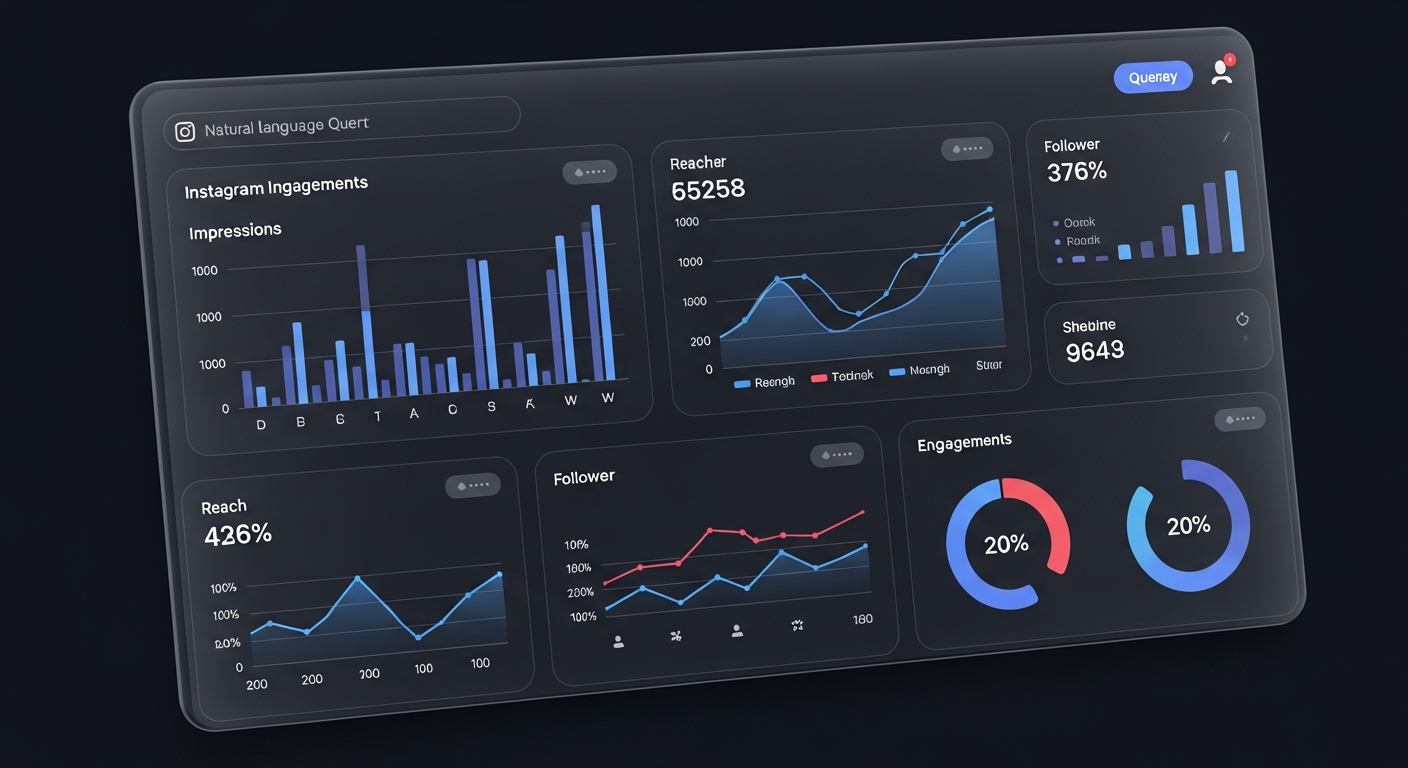
Xpoz is an MCP server that lets Claude Code query Instagram, Twitter/X, TikTok, and Reddit data using natural language. No API keys needed, no rate limit headaches. If your use case is analyzing Instagram content rather than posting it, Xpoz is the simplest path.
What You Can Do
- Search posts, profiles, hashtags, and trends
- Analyze competitor engagement patterns
- Track brand mentions across platforms
- Run sentiment analysis on comments
- Access 1.5B+ posts across platforms
Setup
Configure Xpoz as an MCP server in Claude Code, then query naturally:
"Find the top 50 Instagram posts about AI agents from the last week and analyze their engagement."
"Compare engagement rates between these three competitor accounts on Instagram."
Pricing
| Tier | Price | Results/Month |
|---|---|---|
| Free | $0 | 100,000 |
| Pro | $20/mo | 1,000,000 |
| Max | $200/mo | 10,000,000 |
This is significantly cheaper than official APIs for read-only analysis — up to 100x more data for a fraction of the cost.
Method 6 — social-cli-mcp (Quick Multi-Platform Posting)
Best for: Quick-and-dirty posting across multiple platforms from the terminal Cost: Free (open source) Setup time: 10 minutes
The social-cli-mcp is a CLI tool and MCP server that supports posting to Twitter/X, Reddit, LinkedIn, and Instagram from your terminal or any MCP-compatible AI agent. It’s lighter-weight than Postiz but less feature-rich.
What NOT to Use (and Why)
Unofficial/Private API Libraries
instagrapi (Python, 5,900 stars) is the most popular unofficial Instagram library. It supports every Instagram feature — DMs, Stories, followers, everything the official API restricts. It’s tempting.
Don’t use it for anything that matters. The library’s own authors state it “more suits for testing or research than a working business.” Account bans are frequent, proxies are expensive and unreliable, and Instagram’s detection keeps getting better.
| Library | Status | Risk Level |
|---|---|---|
| instagrapi (Python) | Active | High — bans common |
| instagram-private-api (Node.js) | Abandoned (July 2024) | Critical — unmaintained + security vuln |
| instauto (Node.js) | Active | High — browser automation detectable |
| HikerAPI (SaaS) | Active ($0.02/request) | Medium — managed infrastructure |
The only scenario where unofficial libraries make sense is local testing and research on throwaway accounts.
The Authentication Decision Tree
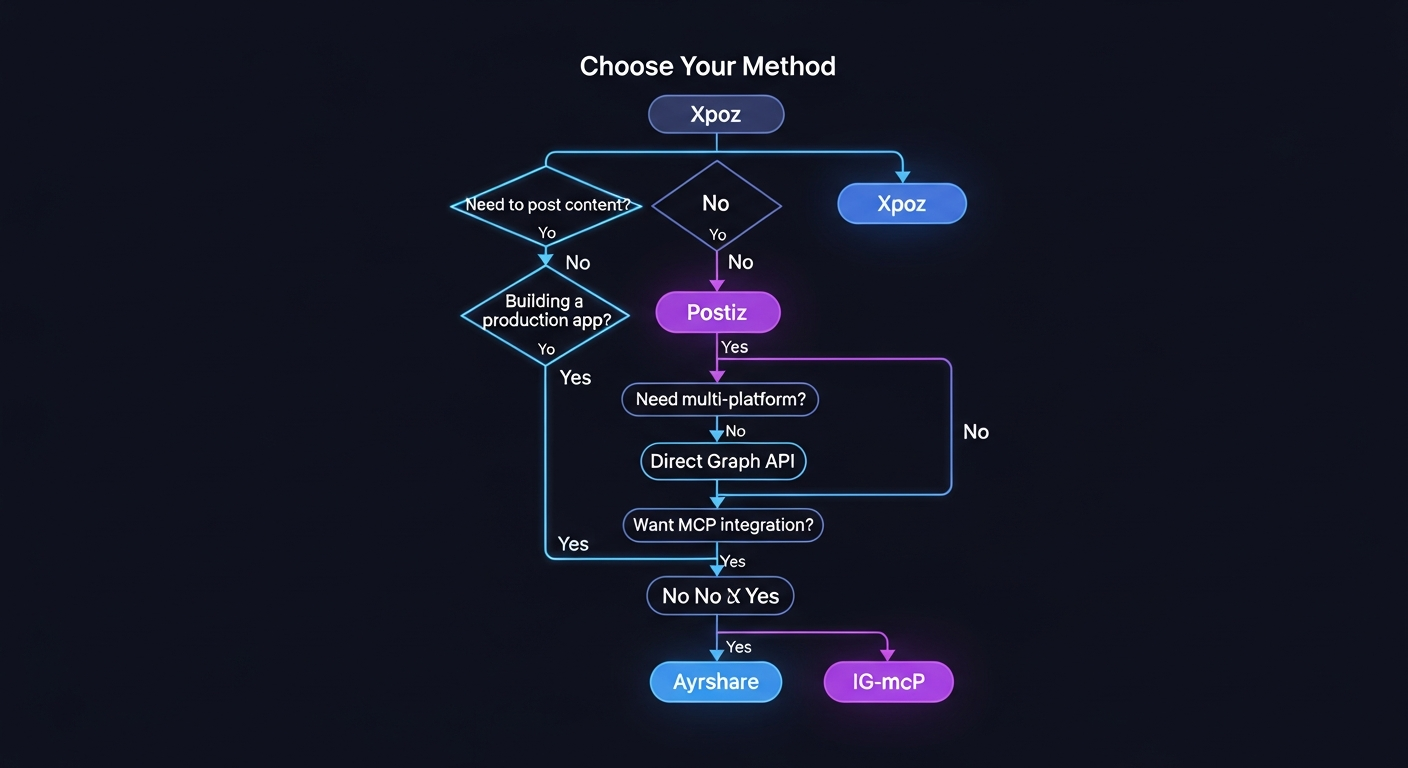
Here’s how to pick the right method:
Do you need to post content?
- Yes → Continue below
- No (analytics only) → Xpoz MCP ($0-200/month)
Are you building a production app or SaaS?
- Yes → Ayrshare ($149/month) or Late ($0-833/month)
- No, personal/team use → Continue below
Do you need multi-platform posting (X, LinkedIn, etc.)?
- Yes → Postiz CLI ($0-49/month)
- No, Instagram only → Continue below
Do you want an MCP server (native Claude Code integration)?
- Yes → ig-mcp (free, Python)
- No, just API calls → Direct Graph API via Bash (free)
Setting Up Instagram Authentication (All Methods)
Regardless of which method you choose, you need an Instagram Business account and Meta credentials. Here’s the universal setup.
Step 1: Convert to Business Account
In the Instagram app: Settings > Account > Switch to professional account > Business. This is free and reversible.
Step 2: Create a Meta Developer App
- Go to developers.facebook.com
- Create a new app (type: Business)
- Add the “Instagram” product
- For the new Instagram Login flow: Add “Instagram API with Instagram Login”
Step 3: Generate a Long-Lived Token
Short-lived tokens expire in 1 hour. Exchange for a long-lived token (60 days):
curl -X GET "https://graph.instagram.com/access_token?grant_type=ig_exchange_token&client_secret=APP_SECRET&access_token=SHORT_LIVED_TOKEN"
Step 4: Set Up Auto-Refresh
Create a cron job or scheduled function to refresh the token before it expires:
# Refresh every 50 days
curl -X GET "https://graph.instagram.com/refresh_access_token?grant_type=ig_refresh_token&access_token=CURRENT_LONG_LIVED_TOKEN"
Step 5: Request App Review (for production)
For production access, submit your app for Meta review. Tips from the community to avoid rejection:
- Request only the permissions you actually need
- Create a narrated screencast showing exactly how permissions are used
- Ensure your privacy policy is publicly accessible and loads instantly
- Provide explicit justification for each permission in your submission
Analytics Deep Dive: What You Can Track
Once connected, here’s the full analytics picture available through the Graph API:
Post-Level Metrics
| Metric | Description | Available For |
|---|---|---|
impressions |
Times the post was displayed | All content |
reach |
Unique accounts that saw it | All content |
engagement |
Total interactions | All content |
saved |
Number of saves | All content |
shares |
Number of shares | All content |
video_views |
Video play count | Reels only (deprecated for others) |
Account-Level Metrics
| Metric | Period Options | Notes |
|---|---|---|
reach |
day, week, days_28 | Unique accounts reached |
impressions |
day, week, days_28 | Total impressions |
follower_count |
day | Follower gain/loss |
Audience Demographics
| Metric | Notes |
|---|---|
audience_city |
Top cities (1,000+ followers required) |
audience_country |
Top countries |
audience_gender_age |
Age/gender breakdown |
audience_locale |
Language/locale distribution |
Important: Demographic data is limited to the top 45 audience segments, has a 48-hour reporting delay, and requires at least 1,000 followers.
The Bottom Line
For most Claude Code users, the path is clear:
- Convert to a Business account (free, takes 30 seconds)
- Install ig-mcp for native Claude Code integration, or Postiz if you need multi-platform
- Set up token auto-refresh so your connection doesn’t silently break after 60 days
- Add Xpoz if you want social listening and competitor analysis on top
The Instagram API in 2026 is more restrictive than it was two years ago, but for Business accounts with the right tooling, it’s fully accessible from Claude Code. The MCP ecosystem has matured to the point where the setup is measured in minutes, not days.
Stop manually opening Instagram. Let your agent handle it.