How to Launch and Manage Multiple AI Agents on a Single OpenClaw Instance
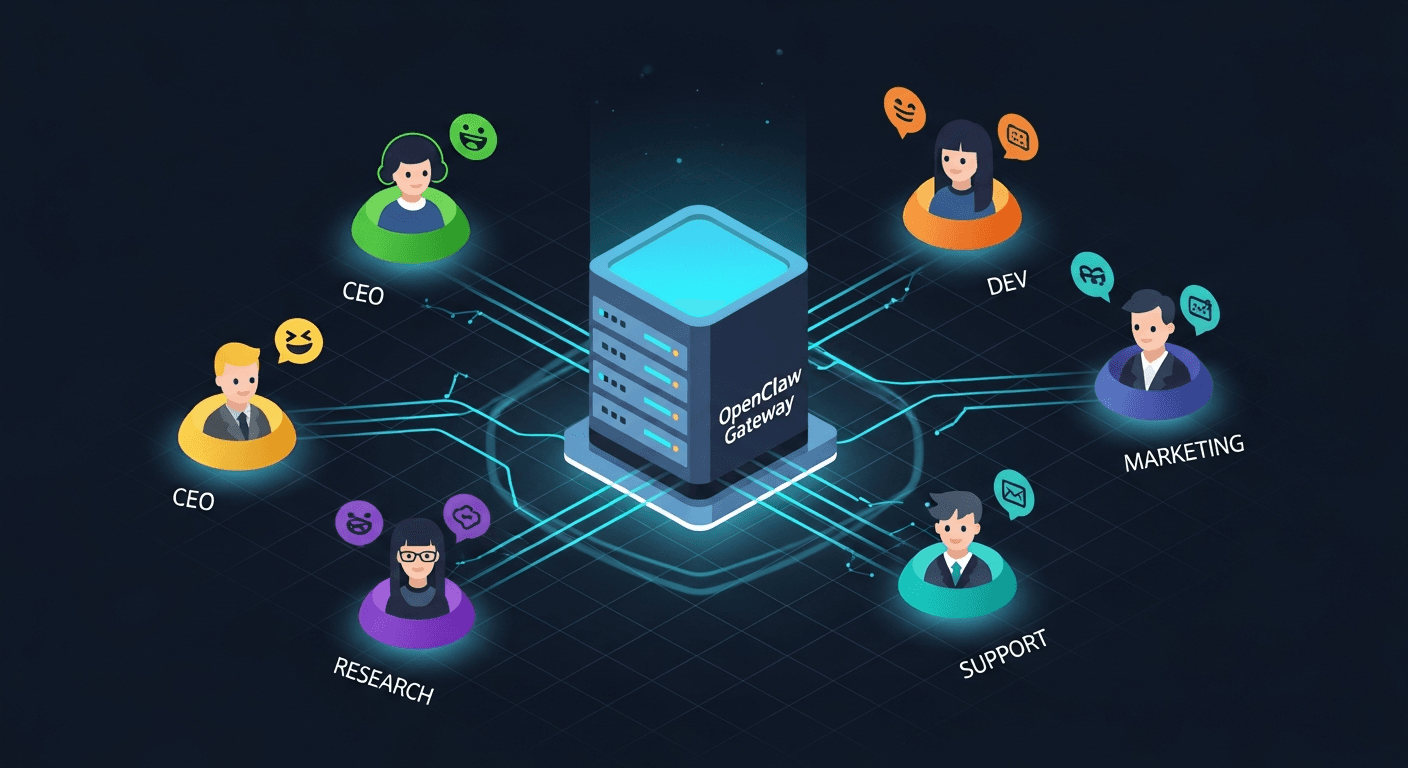
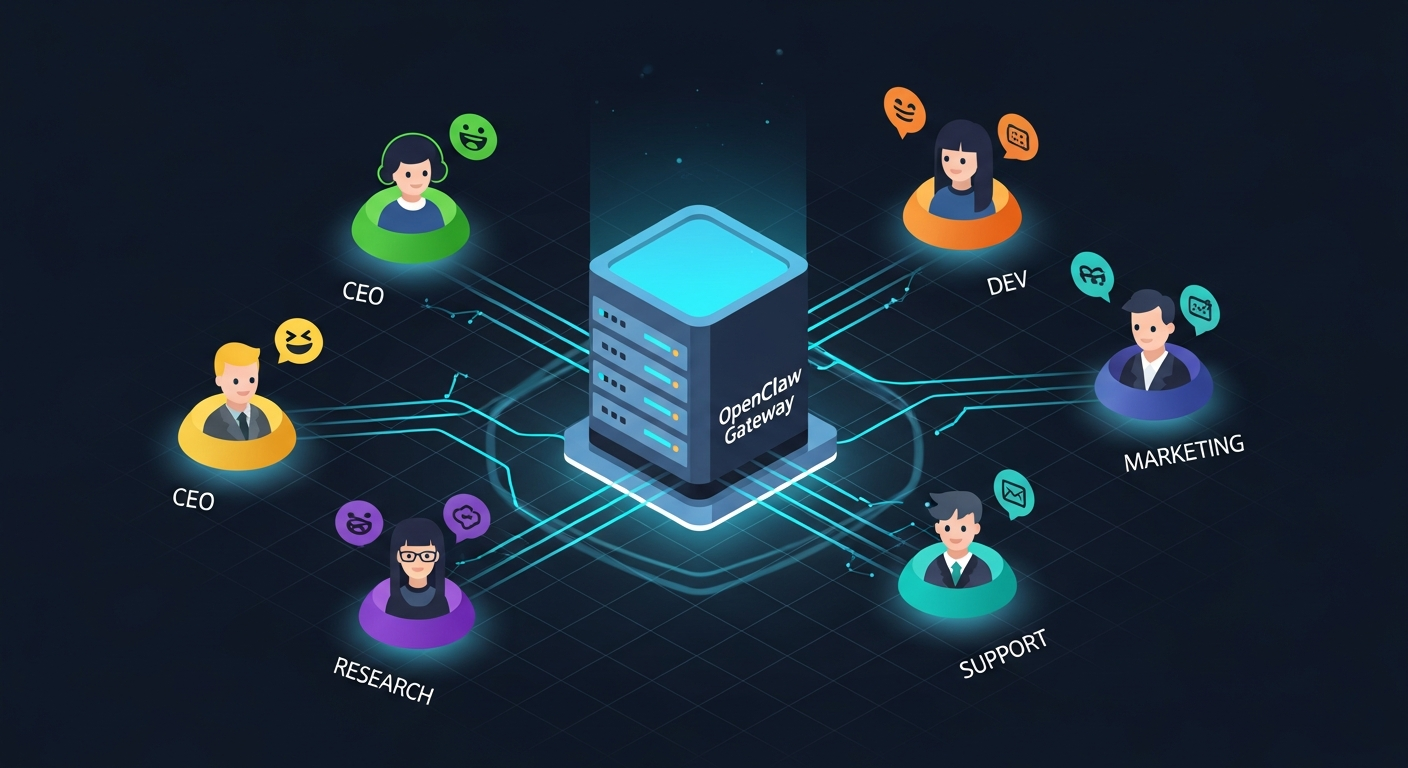
Most teams deploying AI agents make the same expensive mistake: one server per agent. At $10-15/month per machine, a team of five agents costs $60/month before you’ve even sent a single message. But OpenClaw’s architecture was designed for exactly this problem—running multiple isolated agents within a single gateway process, sharing infrastructure while maintaining complete separation.
This guide walks through the entire setup: from understanding OpenClaw’s native multi-agent routing to practical configuration examples, cost optimization strategies, and real-world deployment patterns. Based on synthesis of official OpenClaw documentation, community guides, and production deployment experiences across 30+ sources.
Why Multi-Agent? The Case for Specialized AI Teams
Before diving into configuration, it’s worth understanding when multiple agents actually make sense. As one experienced OpenClaw engineer put it: “A single agent with good memory management and proper tool access can handle most use cases before complexity is warranted.”
Multi-agent architecture becomes justified in four scenarios:
- Different security contexts — A family bot with restricted tools shouldn’t share workspace with your coding agent
- Specialized expertise domains — A research agent and a code review agent benefit from separate SOUL.md personalities and memory
- Channel-specific behaviors — Your WhatsApp assistant should behave differently than your Discord community bot
- Cost optimization via model routing — Route casual chat to Haiku ($1/M tokens) while reserving Opus ($25/M output) for complex reasoning
The compound effect of specialization is real. Teams running specialized agents report cost reductions of 60-97% compared to running everything on a single premium model.
Understanding OpenClaw’s Multi-Agent Architecture
OpenClaw’s gateway is fundamentally a message router. Every inbound message—whether from Telegram, Discord, WhatsApp, or the Control UI—passes through the gateway, which determines which agent should handle it. This routing happens via three mechanisms working together.
The agents.list Array
The core of multi-agent configuration is the agents.list array in openclaw.json. Each entry defines an isolated agent with its own identity, workspace, model, and capabilities:
{
  agents: {
    defaults: {
      workspace: "/data/workspace",
      model: {
        primary: "anthropic/claude-sonnet-4-5",
        fallbacks: ["anthropic/claude-haiku-4-5"]
      },
      timeoutSeconds: 600,
      contextTokens: 200000
    },
    list: [
      {
        id: "main",
        default: true,
        name: "General Assistant",
        identity: { name: "Atlas", emoji: "🤖" },
        groupChat: { mentionPatterns: ["@atlas", "@bot"] }
      },
      {
        id: "coder",
        name: "Code Agent",
        workspace: "/data/workspace-coder",
        model: "anthropic/claude-opus-4-6",
        identity: { name: "Forge", emoji: "🔨" },
        groupChat: { mentionPatterns: ["@forge", "@code"] },
        tools: { profile: "coding" }
      },
      {
        id: "research",
        name: "Research Agent",
        workspace: "/data/workspace-research",
        model: "anthropic/claude-sonnet-4-5",
        identity: { name: "Scout", emoji: "🔍" },
        groupChat: { mentionPatterns: ["@scout", "@research"] },
        sandbox: { mode: "all", scope: "agent" },
        tools: {
          allow: ["group:fs", "group:web"],
          deny: ["exec", "write"]
        }
      }
    ]
  }
}
Each agent in the list inherits from agents.defaults but can override any setting. The precedence hierarchy is clear:
agents.list[].model > agents.defaults.model > system default
agents.list[].workspace > agents.defaults.workspace > ~/.openclaw/workspace-<id>
agents.list[].sandbox.* > agents.defaults.sandbox.* > system defaults
Bindings: The Routing Layer
Bindings create the mapping between incoming messages and agents. They answer the question: “Which agent handles this message?”
{
  bindings: [
    // Specific peer match (highest priority)
    {
      agentId: "coder",
      match: {
        channel: "telegram",
        peer: { kind: "direct", id: "+15551234567" }
      }
    },
    // Discord guild match
    {
      agentId: "research",
      match: { channel: "discord", guildId: "123456789" }
    },
    // WhatsApp group match
    {
      agentId: "main",
      match: {
        channel: "whatsapp",
        peer: { kind: "group", id: "120363999@g.us" }
      }
    },
    // Channel-wide fallback
    { agentId: "main", match: { channel: "telegram" } }
  ]
}
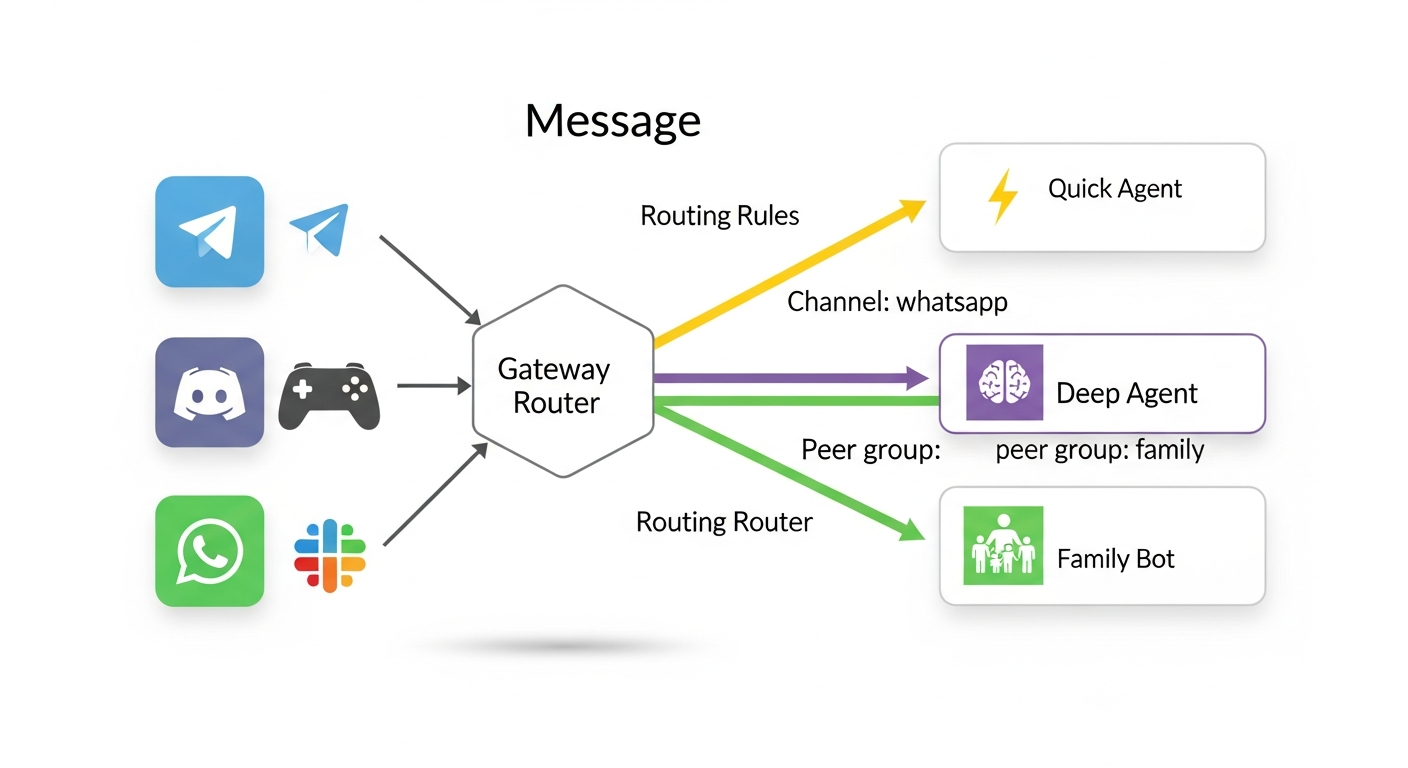
Routing follows a deterministic “most-specific wins” hierarchy:
- Peer match — Exact DM or group ID
- Guild ID — Discord server
- Team ID — Slack workspace
- Account ID — Specific channel account
- Channel match — Any message on that platform
- Default agent — First entry in
agents.listwithdefault: true
Critical rule: Place specific bindings before broad ones. A channel: "whatsapp" binding appearing before a peer-specific binding will match first and swallow all WhatsApp messages.
Per-Agent Isolation
Each agent operates in complete isolation. This is not just configuration separation—it’s filesystem-level isolation:
/data/
├── openclaw.json              # Shared config with agents.list[]
├── workspace-main/            # General assistant files
│   ├── SOUL.md
│   ├── MEMORY.md
│   └── skills/
├── workspace-coder/           # Code agent files
│   ├── SOUL.md
│   ├── MEMORY.md
│   └── skills/
├── workspace-research/        # Research agent files
│   ├── SOUL.md
│   └── skills/
└── agents/
    ├── main/
    │   ├── sessions/          # Conversation history
    │   └── agent/
    │       └── auth-profiles.json
    ├── coder/
    │   ├── sessions/
    │   └── agent/
    │       └── auth-profiles.json
    └── research/
        ├── sessions/
        └── agent/
            └── auth-profiles.json
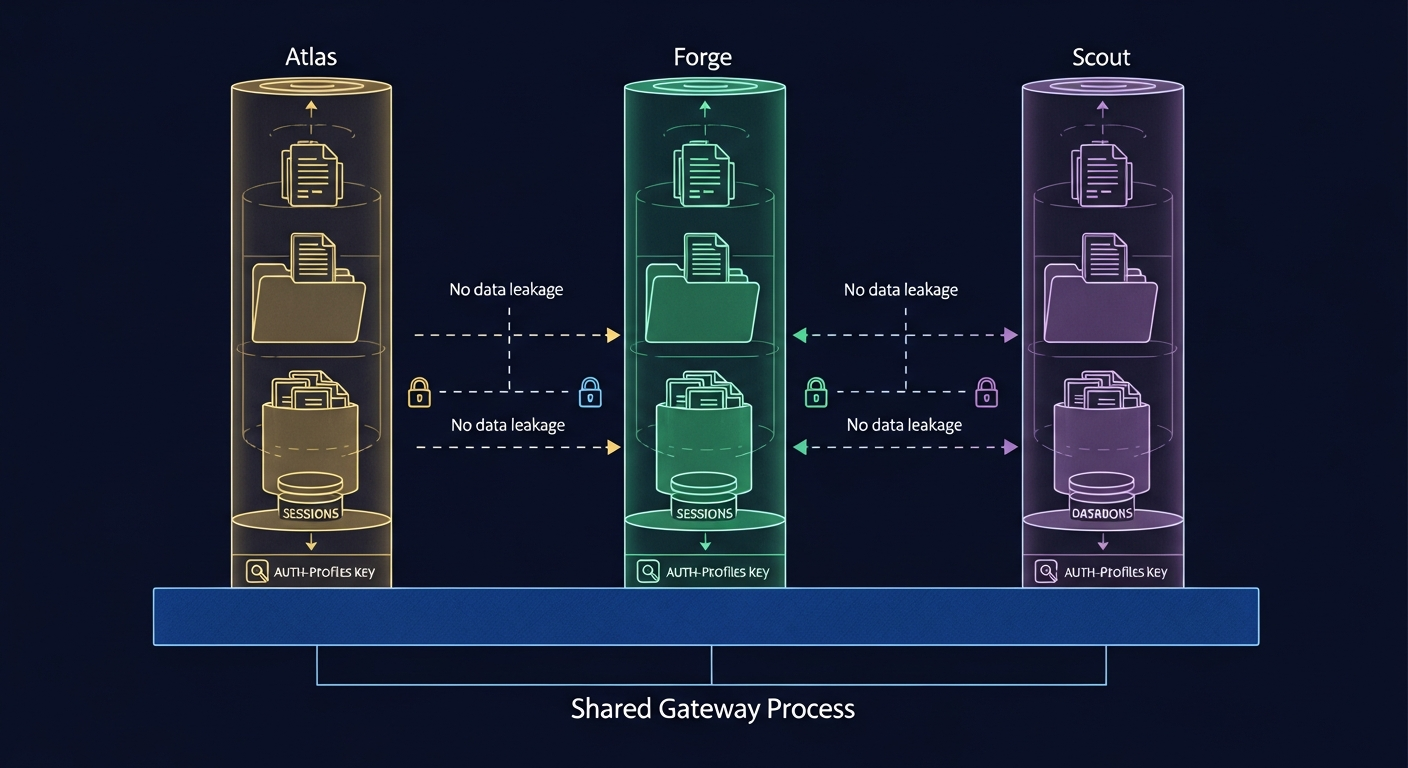
Never reuse agentDir across agents. This is the single most common multi-agent configuration mistake. Shared agent directories cause authentication and session collisions that are extremely difficult to debug.
Each agent reads from its own auth-profiles.json. Credentials don’t automatically transfer between agents—if your research agent needs API access, you must configure its auth profile separately.
Practical Configuration Examples
Example 1: Split by Channel
Route WhatsApp to a fast, cheap agent and Telegram to a more capable model:
{
  agents: {
    list: [
      {
        id: "quick",
        model: "anthropic/claude-haiku-4-5",
        identity: { name: "Quick", emoji: "⚡" }
      },
      {
        id: "deep",
        model: "anthropic/claude-opus-4-6",
        identity: { name: "Deep", emoji: "🧠" }
      }
    ]
  },
  bindings: [
    { agentId: "quick", match: { channel: "whatsapp" } },
    { agentId: "deep", match: { channel: "telegram" } }
  ]
}
Example 2: Discord Team with Mention Routing
Multiple agents in a single Discord server, triggered by @mentions:
{
  agents: {
    defaults: {
      model: { primary: "anthropic/claude-sonnet-4-5" }
    },
    list: [
      {
        id: "ceo",
        name: "CEO Agent",
        identity: { name: "CEO", emoji: "👔" },
        groupChat: {
          mentionPatterns: ["@ceo", "@boss", "@strategy"]
        }
      },
      {
        id: "dev",
        name: "Dev Agent",
        model: "anthropic/claude-opus-4-6",
        identity: { name: "Dev", emoji: "💻" },
        groupChat: {
          mentionPatterns: ["@dev", "@engineer", "@code"]
        },
        tools: { profile: "coding" }
      },
      {
        id: "marketing",
        name: "Marketing Agent",
        model: "anthropic/claude-haiku-4-5",
        identity: { name: "Marketing", emoji: "📣" },
        groupChat: {
          mentionPatterns: ["@marketing", "@content", "@social"]
        },
        tools: { profile: "messaging" }
      }
    ]
  },
  bindings: [
    {
      agentId: "ceo",
      match: { channel: "discord", guildId: "YOUR_GUILD_ID" }
    }
  ]
}
In group chats, the CEO agent is the default handler for the Discord guild. When someone types @dev fix the login bug, the gateway routes that message to the Dev agent instead. Mention patterns act as agent-level routing overrides within group conversations.
Example 3: Family Bot with Sandboxing
A restricted agent for family WhatsApp groups with limited capabilities:
{
agents: {
list: [
{
id: "personal",
default: true,
sandbox: { mode: "off" }
},
{
id: "family",
workspace: "/data/workspace-family",
identity: { name: "Family Bot", emoji: "👨👩👧👦" },
groupChat: {
mentionPatterns: ["@family", "@familybot"]
},
sandbox: {
mode: "all",
scope: "agent"
},
tools: {
allow: ["read", "sessions_list", "sessions_history"],
deny: ["write", "edit", "exec", "apply_patch", "browser"]
}
}
]
},
bindings: [
{
agentId: "family",
match: {
channel: "whatsapp",
peer: { kind: "group", id: "120363999999999999@g.us" }
}
}
]
}
The family agent runs in a full sandbox with tool restrictions. It can read files and list sessions but cannot execute commands, write files, or browse the web. Per-agent sandboxing requires OpenClaw v2026.1.6 or later.
Cost Optimization: 5 Agents for ~$12/Month
The biggest advantage of multi-agent-per-machine isn’t just convenience—it’s cost. Running 5 agents on separate Fly.io machines costs ~$60/month in compute alone. Running them on a single instance drops that to ~$12/month.
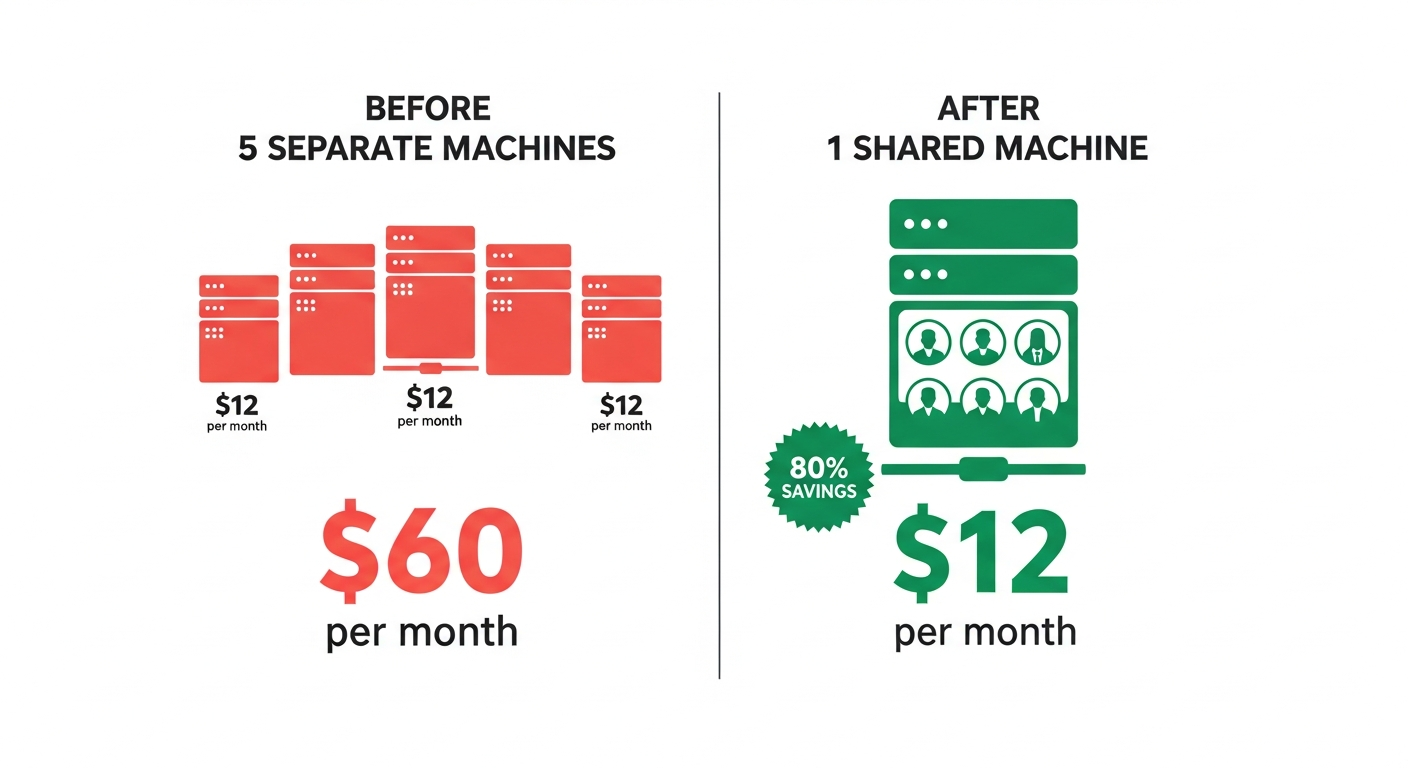
But compute is only part of the equation. API token costs can dwarf infrastructure costs if left unchecked. Community members have reported spending $1,200/month on a poorly configured multi-agent setup, then dropping to $36/month after applying five targeted optimizations.
Strategy 1: Smart Model Routing
The single highest-impact cost optimization. Assign expensive models only to agents that need deep reasoning:
| Agent Role | Model | Cost per 1M Output Tokens |
|---|---|---|
| Coordinator/CEO | claude-haiku-4-5 | $5 |
| General Assistant | claude-sonnet-4-5 | $15 |
| Code Review | claude-opus-4-6 | $25 |
| Quick Replies | deepseek-r1 (via OpenRouter) | $2.74 |
This alone can achieve 50-80% cost reduction on typical workloads. The key insight: keep a cheap model as the coordinator and reserve expensive models for agents doing real work.
Strategy 2: Per-Agent Session Rules
Restrict context loading in system prompts. Default configurations often load 50KB+ of context per session. Trimming to essentials drops per-session cost from $0.40 to $0.05:
{
  agents: {
    list: [
      {
        id: "quick",
        // Minimal context for fast responses
        contextTokens: 50000
      },
      {
        id: "deep",
        // Full context for complex reasoning
        contextTokens: 200000
      }
    ]
  }
}
Strategy 3: Tool Profile Restrictions
Agents with minimal or messaging tool profiles consume fewer tokens because they have smaller tool schemas injected into their context window:
// Only 4 valid tool profiles
{
  "minimal":   { allow: ["read"], deny: ["exec", "write"] },
  "messaging": { allow: ["read", "web"], deny: ["exec"] },
  "coding":    { allow: ["read", "write", "exec", "web"], deny: [] },
  "full":      { allow: ["read", "write", "exec", "web", "browser"], deny: [] }
}
A marketing agent doesn’t need coding tools. A research agent doesn’t need exec. Match tool profiles to actual agent requirements.
Strategy 4: Local Heartbeat Offloading
If you use scheduled tasks (heartbeats), route health checks and routine monitoring to free local models via Ollama instead of burning API credits:
{
  agents: {
    list: [
      {
        id: "heartbeat",
        model: "ollama/llama3.2",  // Free local model
        // Only handles scheduled checks
      }
    ]
  }
}
Strategy 5: Subagent Cost Control
When agents spawn subagents for background tasks, those subagents can use cheaper models independently:
{
  agents: {
    list: [
      {
        id: "main",
        model: "anthropic/claude-opus-4-6",
        subagents: {
          allowAgents: ["worker"],
          maxConcurrent: 4
        }
      },
      {
        id: "worker",
        model: "anthropic/claude-haiku-4-5"
        // Workers use cheap model for parallel tasks
      }
    ]
  }
}
Subagents run via sessions_spawn, operate in isolated sessions, and are limited to 8 concurrent by default. They cannot spawn their own subagents—this is a deliberate design constraint to prevent runaway costs.
Inter-Agent Communication
OpenClaw agents within a single gateway are isolated by design. There’s no built-in agent-to-agent messaging protocol. This is intentional—isolation prevents data leakage and cost spirals from chatty agents.
For teams that need coordination, three patterns have emerged in the community:
Pattern 1: Discord/Telegram as the Communication Bus
The simplest approach: agents talk through shared messaging channels. Create a #agent-coordination Discord channel, bind all agents to it, and use @mentions for routing:
@ceo: We need the Q1 report by Friday. @research please gather the data.
       @marketing draft the executive summary once data is ready.

@research: Starting data collection. Will post findings in this channel.

@marketing: Standing by for research data.
This is human-readable, auditable, and requires zero custom infrastructure. The Augmi research docs recommend this pattern for MVP multi-agent setups.
Pattern 2: Shared Task Files
Agents coordinate via markdown files in a shared workspace directory:
# TASKS.md

## Pending
- [ ] @research: Gather Q1 metrics from analytics API
- [ ] @marketing: Draft blog post outline

## In Progress
- [x] @dev: Fix authentication bug (PR #234)

## Completed
- [x] @ceo: Reviewed sprint priorities (2026-02-10)
Each agent checks the task file periodically and claims work. Simple, but effective for small teams.
Pattern 3: Platform-Mediated Coordination
For production deployments requiring structured coordination, a backend message broker (like Supabase Realtime) provides typed messaging with delivery guarantees:
// Agent inbox/outbox via Supabase Realtime
const channel = supabase.channel('agent-messages');
channel.on('broadcast', { event: 'task' }, (payload) => {
  if (payload.targetAgent === myAgentId) {
    handleTask(payload);
  }
});
This pattern supports priority queues, task states (pending/blocked/in-progress/completed), and audit logging. It’s more complex to set up but scales to 10+ agents reliably.
Deployment on Augmi.world
Augmi abstracts away the infrastructure complexity of multi-agent deployment. Today, Augmi deploys one agent per Fly.io machine with the following specs:
- CPU: 2 shared vCPUs
- RAM: 2048 MB
- Storage: 1GB persistent volume
- Networking: Authenticated gateway with health monitoring
- Restart: Always-on policy
For multi-agent setups on a single machine, these resources comfortably support 3-5 agents with external LLM APIs. The heavy computation happens at the API provider—the local machine only handles message routing, session management, and tool execution.
Current Architecture
User Dashboard → Create Agent → Fly.io Machine (always-on)
                                   ├── Authenticated Gateway (OpenClaw)
                                   ├── Health monitoring
                                   └── Persistent storage
                                        ├── Agent configuration
                                        ├── Per-agent workspaces
                                        └── Per-agent session data
Roadmap: Multi-Agent Dashboard
Augmi is building native multi-agent management into the dashboard:
- Visual agent team editor — Add/remove agents with drag-and-drop binding configuration
- Per-agent cost monitoring — Track token usage per agent with budget alerts
- Team templates — Pre-configured agent teams (Solo Founder Pack, Engineering Team, Growth Team)
- Orchestration dashboard — ReactFlow-based visualization of agent communication patterns
Common Pitfalls and Debugging
Pitfall 1: Reusing agentDir
Symptom: Agents sharing conversation history, authentication failures, session collisions.
Fix: Every agent must have a unique agentDir. If not specified, OpenClaw defaults to ~/.openclaw/agents/<agentId>/agent.
Pitfall 2: Broad Bindings Swallowing Specific Routes
Symptom: Messages always go to the same agent regardless of binding rules.
Fix: Place specific bindings (peer matches) before broad bindings (channel matches) in the bindings[] array. First match wins.
Pitfall 3: “non-main” Sandbox Mode Surprises
Symptom: Group chat sessions unexpectedly running in sandbox mode.
Fix: Sandbox mode is based on session.mainKey, not agent ID. Group sessions get unique keys like agent:main:whatsapp:group:..., which triggers “non-main” sandbox mode. Set sandbox.mode: "off" explicitly for agents that shouldn’t be sandboxed.
Pitfall 4: Missing Auth Profiles
Symptom: Agent responds with “Unknown model” or authentication errors.
Fix: Each agent reads from its own auth-profiles.json. Copy or configure credentials for every agent that needs API access.
Debugging Commands
# List all agents and their bindings
openclaw agents list --bindings

# Explain routing for a specific message
openclaw routing explain

# Debug sandbox and tool policy for a session
openclaw debug sandbox <session-key>
openclaw debug tools <session-key>

# Check agent health
openclaw doctor --fix
Quick Reference
| Topic | Key Detail |
|---|---|
| Max agents per gateway | No hard limit; 5-10 typical on 2GB RAM |
| Isolation level | Workspace, sessions, auth profiles, tools |
| Routing mechanism | Bindings with most-specific-wins |
| Valid tool profiles | minimal, messaging, coding, full |
| Cost (5 agents, 1 machine) | ~$12/month compute + API costs |
| Cost (5 agents, 5 machines) | ~$60/month compute + API costs |
| Subagent limit | 8 concurrent per agent (configurable) |
| Per-agent sandbox | Available v2026.1.6+ |
Getting Started
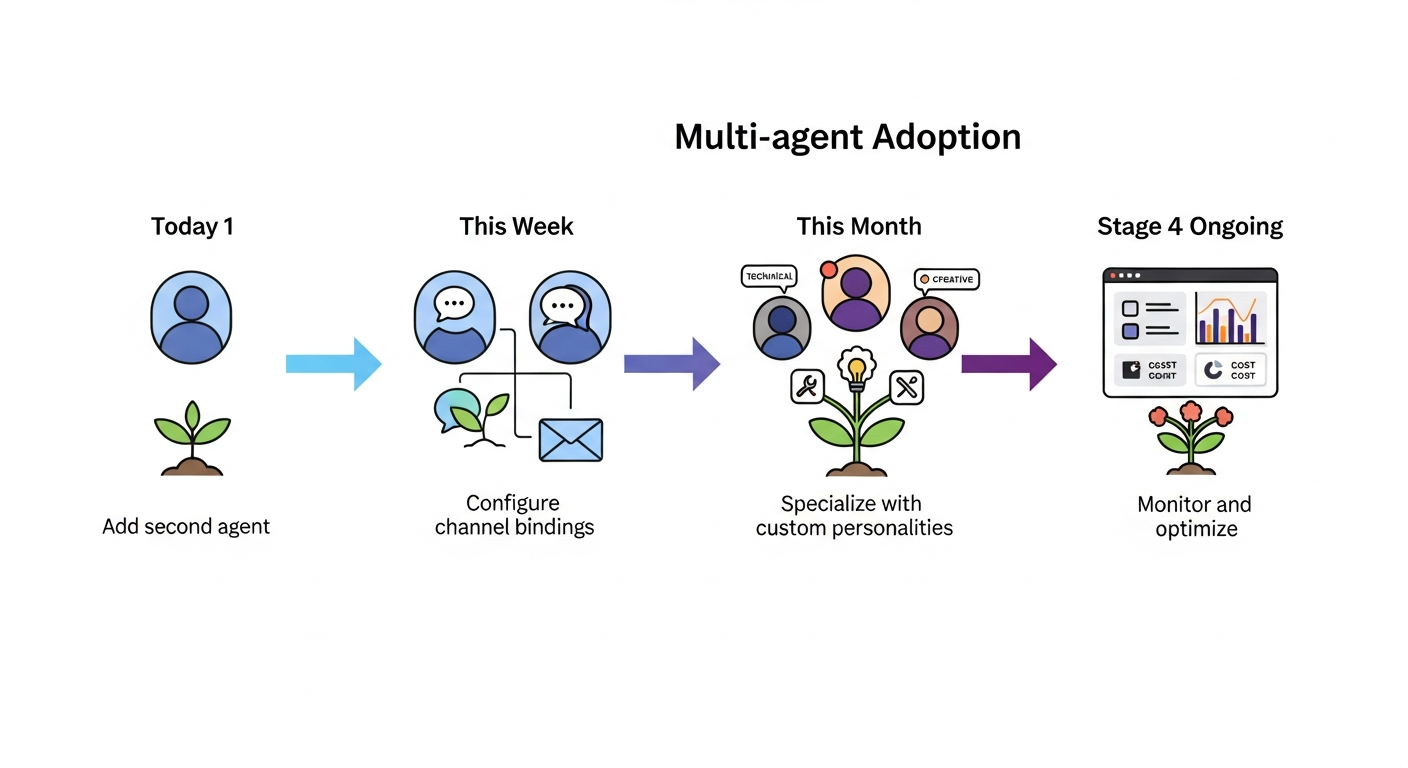
If you’re running a single OpenClaw agent today, here’s the path to multi-agent:
- Today: Add a second agent to your
agents.listwith a different model (cheap for routine, expensive for complex tasks) - This week: Configure bindings to route different channels to different agents
- This month: Add specialized agents with custom SOUL.md files and tool restrictions
- Ongoing: Monitor per-agent costs and adjust model routing based on actual usage patterns
The best multi-agent deployments start simple and add complexity deliberately. As the community wisdom goes: “Exhaust single-agent capabilities before adopting multi-agent patterns.”
Ready for always-on multi-agent deployment without managing infrastructure? Deploy your first agent team at Augmi.world.