
How to Connect Your OpenClaw AI Agent to Twitter/X (Every Method, Ranked)

Twitter (now X) is where conversations happen in real time — crypto alpha, tech news, brand discourse, and viral moments. If you’re building an AI agent with OpenClaw, connecting it to X lets your agent monitor conversations, post updates, respond to threads, or act as an autonomous social presence. The potential is real. The path to get there is messier than it should be.
We analyzed 7 research sources covering the full landscape of X API options, unofficial libraries, MCP servers, browser automation approaches, and community best practices. What we found: there is no single “right” answer. The best method depends entirely on your budget, risk tolerance, and what you actually need the agent to do.
This guide covers every viable method, ranked by what works for most people first.
The Twitter/X API Landscape in 2026
Before you pick an approach, you need to understand what happened to the X API and why the landscape is so fragmented.
X’s API transformation since Elon Musk’s acquisition in 2022 is one of the most dramatic pivots in developer platform history. The short version: free became nearly useless, and the useful tiers became expensive.

Here’s the change timeline that matters:
- February 2023: End of free API access entirely
- October 2024: Basic tier doubled from $100 to $200/month; Free tier reduced from 1,500 to 500 posts/month
- August 2025: Like and follow actions removed from the Free tier
- January 2026: New pay-per-use credit system launched alongside legacy tiers
The current tier structure:
| Tier | Price | Write | Read | DMs | Like/Follow |
|---|---|---|---|---|---|
| Free | $0 | 500 posts/mo | NO | NO | NO |
| Basic | $200/mo | 50,000 posts/mo | 15,000/mo | NO | Yes |
| Pro | $5,000/mo | 300,000 posts/mo | 1,000,000/mo | Yes | Yes |
| Enterprise | $42,000+/mo | Custom | Custom | Yes | Yes |
The critical constraint for agent builders: the Free tier cannot read tweets. It’s write-only. For an agent that needs to respond to mentions, search for relevant content, or monitor competitors, $200/month is the minimum viable official spend.
There’s also a technical wrinkle: OAuth 1.0a is still required for write operations. Despite OAuth 2.0 being the modern standard, posting tweets requires the older authentication flow. OAuth 2.0 handles read operations. This affects how you configure credentials regardless of which method you choose.
The good news? The developer community responded to X’s pricing by building a rich ecosystem of alternatives. Let’s go through all of them.
Method 1 — Official X API Free Tier (Simple Posting Only)
Best for: Agents that only need to post content (no reading, no replies, no following) Cost: $0/month Compliance: Fully compliant
If your agent is a pure publisher — a scheduled content bot, a news poster, an automated announcements system — the Free tier might be enough. You get 500 posts/month with zero read capability.
Setup via developer.x.com
Step 1: Create a developer account
- Go to developer.x.com
- Sign in with your X account
- Accept the Developer Agreement — you get Free tier access immediately
- Navigate to console.x.com to create your app
Step 2: Generate credentials In the console, create an app and generate:
- API Key and API Secret (App credentials)
- Access Token and Access Token Secret (User credentials)
Make sure you enable Read and Write permissions — the default is Read Only, which cannot post.
Step 3: Install the OpenClaw Twitter Skill
npx playbooks add skill openclaw/skills --skill twitter
Step 4: Set your environment variables in the agent
export TWITTER_API_KEY="your_api_key"
export TWITTER_API_SECRET="your_api_secret"
export TWITTER_ACCESS_TOKEN="your_access_token"
export TWITTER_ACCESS_TOKEN_SECRET="your_access_token_secret"
Step 5: Test with Tweepy
import tweepy

auth = tweepy.OAuthHandler("YOUR_API_KEY", "YOUR_API_SECRET")
auth.set_access_token("YOUR_ACCESS_TOKEN", "YOUR_ACCESS_TOKEN_SECRET")
api = tweepy.API(auth)

api.update_status("Hello from my OpenClaw agent!")
Limitations to be aware of: You cannot search Twitter, read your timeline, check mentions, or perform any actions that require reading. If your agent tries to do any of these, it will fail silently or return errors. The Free tier’s 500 posts/month cap works out to about 16 posts per day — enough for most simple bots.
Method 2 — OpenTweet API Bridge ($5.99/mo, Recommended for Most Users)
Best for: Most OpenClaw users who want reliable posting without the official API cost or complexity Cost: $5.99/month (7-day free trial) Compliance: Gray area (OpenTweet handles ToS compliance on their end)
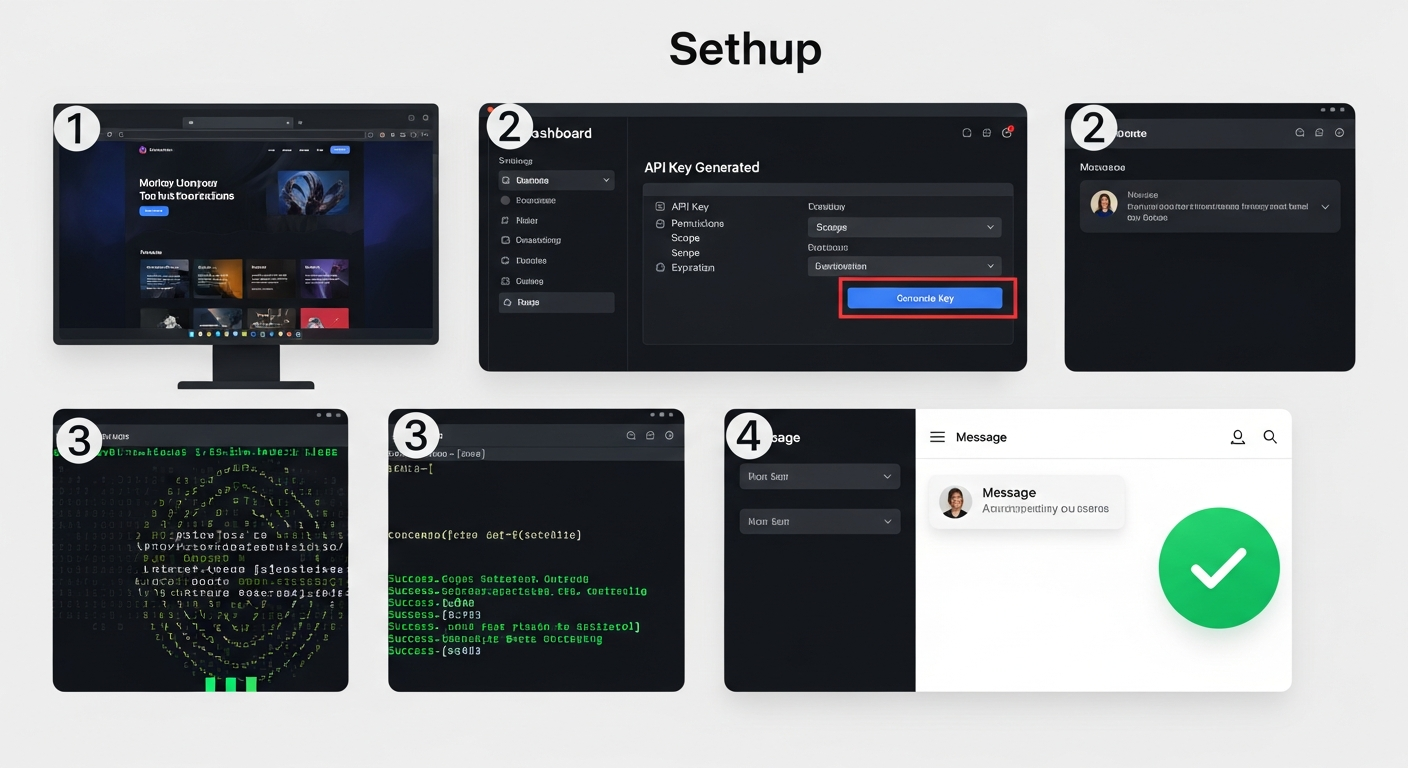
The OpenTweet bridge is specifically designed for the OpenClaw ecosystem. It solves the four biggest pain points of direct Twitter API access:
| Challenge | OpenTweet Solution |
|---|---|
| Official API costs $200/month | OpenTweet costs $5.99/month |
| Direct credentials = full account access | Scoped API keys with instant revocation |
| OAuth 1.0a complexity | Simple API key authentication |
| You manage rate limits | Rate limits managed by OpenTweet |
For most agent builders who want Twitter posting without the technical overhead or $200/month bill, this is the recommended path.
Step-by-Step Setup
Step 1: Sign up at opentweet.io Create an account and connect your X account via OAuth. OpenTweet handles the OAuth flow — you don’t need a developer account.
Step 2: Generate an API key In your OpenTweet dashboard: Settings > API > Generate New Key
Your key will look like: ot_your_key_here
Step 3: Install the OpenTweet skill
clawhub install opentweet/x-poster
Step 4: Set your environment variable
export OPENTWEET_API_KEY="ot_your_key_here"
Step 5: Start posting
The API is straightforward. To post a tweet:
POST https://api.opentweet.io/api/v1/posts
Authorization: Bearer ot_your_key_here
Content-Type: application/json

{
  "text": "Hello from my OpenClaw agent!"
}
To schedule a post for later:
POST https://api.opentweet.io/api/v1/posts/:id/schedule
Available endpoints:
/api/v1/me— Verify key and check usage limits/api/v1/posts— List or create posts (1-50 at once)/api/v1/posts/:id— Update or delete a post/api/v1/posts/:id/schedule— Schedule for a specific time/api/v1/posts/:id/publish— Publish immediately
Rate limits: 60 requests/minute, 1,000/day.
Why this approach works for OpenClaw: The skill integrates directly with OpenClaw’s tool system. Your agent can post, schedule, and manage tweets without knowing anything about OAuth or X’s developer console. The credential is just a single API key you set once.
Method 3 — OpenClaw Twitter Skill with Direct API ($200/mo)
Best for: Agents that need full read+write access (search, timeline monitoring, replies, analytics) Cost: $200/month for X Basic API Compliance: Fully compliant
If your agent needs to read tweets — search for mentions, monitor keywords, read timelines, follow conversations — the official API is the compliant path. The OpenClaw Twitter Skill supports the full range of operations when connected to an API key with sufficient permissions.
What You Get at Basic Tier ($200/mo)
- 15,000 reads/month
- 50,000 writes/month
- Recent search (last 7 days)
- User lookup
- Like/follow actions
- Rate limits: 3,500 tweet lookups per 15 minutes (app level)
Installation
npx playbooks add skill openclaw/skills --skill twitter
Set all four credential environment variables (as shown in Method 1), then upgrade your developer account to the Basic tier at console.x.com.
Capabilities Once Connected
The OpenClaw Twitter Skill supports:
- Post tweets
- Read timelines
- Search tweets
- Follow/unfollow
- Analytics queries
Important Note on OAuth
The skill uses OAuth 1.0a for write operations. Do not attempt to use OAuth 2.0 tokens for posting — this is a documented limitation of the X API, not a bug in the skill.
When to Use This vs. OpenTweet
Use the direct API ($200/mo) when:
- You need to read and search tweets (not just post)
- You need user lookup capabilities
- You want to build on a fully compliant foundation for a business application
- Your agent’s behavior depends on what others are saying on Twitter
Stick with OpenTweet ($5.99/mo) when:
- You only need to post (no reading required)
- You want simplicity over control
- Budget is a primary constraint
Method 4 — MCP Servers (For Advanced Claude Code / Developer Users)
Best for: Developers using Claude Code or building on top of OpenClaw who want rich Twitter tooling Cost: Varies (see below) Compliance: Depends on server
The Model Context Protocol (MCP) ecosystem has produced 10+ Twitter integration servers. However, there is an important caveat for OpenClaw users: as of February 2026, OpenClaw’s native MCP support is not working. Issue #4834 was closed as “not planned” on February 1, 2026. Full MCP support (Issue #13248) remains under development.
The workaround: add bash scripts to your agent’s /data/workspace/TOOLS.md file and the agent can invoke them directly. This is functional but requires more manual setup than native MCP would provide.
Top MCP Servers for Twitter
1. EnesCinr/twitter-mcp (355 stars — Most Reliable)
- Uses official Twitter API v2
- Two tools:
post_tweetandsearch_tweets - Install:
npx -y @enescinar/twitter-mcp - Auth: 4 env vars (API_KEY, API_SECRET_KEY, ACCESS_TOKEN, ACCESS_TOKEN_SECRET)
- Requires: X API Basic tier minimum for search
2. adhikasp/mcp-twikit (220 stars — No API Key Required)
- Uses the twikit Python library (cookie-based)
- Install:
npx -y @smithery/cli install mcp-twikit --client claude - Auth: Username + email + password
- Capabilities: Search, home timeline, sentiment analysis
- Risk: Account suspension possible
3. Composio Twitter MCP (Enterprise-grade)
- URL: mcp.composio.dev/twitter
- SOC 2 Type 2 compliant
- OAuth 2.1 managed
- Works with Claude, Claude Code, Cursor, Windsurf
- Best for teams with security requirements
4. gkydev/twitter-mcp-server (Cookie-based, most capable)
- Passes cookies at call time (no pre-configuration)
- Full capabilities: Post, like, retweet, bookmark, follow, DMs, trending
- Install: Clone repo,
pip install -r requirements.txt,python server.py - Risk: Medium-high (cookie-based)
5. Barresider/x-mcp (Playwright-based, 25+ tools)
- Full browser automation
- Supports Docker and proxy configuration
- Every Twitter action imaginable
- Higher maintenance burden; Twitter actively blocks automated browsers
Comparison Table
| Server | Auth | Official API | Post | Read | Stars |
|---|---|---|---|---|---|
| EnesCinr/twitter-mcp | API keys | Yes | Yes | Search | 355 |
| adhikasp/mcp-twikit | Cookies | No | No | Yes | 220 |
| Composio | OAuth 2.1 | Yes | Yes | Yes | N/A |
| gkydev/twitter-mcp-server | Cookies | No | Yes | Yes | 12 |
| Barresider/x-mcp | Playwright | No | Yes | Yes | 4 |
Method 5 — Cookie-Based / Unofficial Approaches (Free but Risky)
Best for: Hobbyists, experimental agents, crypto AI projects where cost trumps compliance Cost: Free Compliance: Violates X ToS — account suspension risk
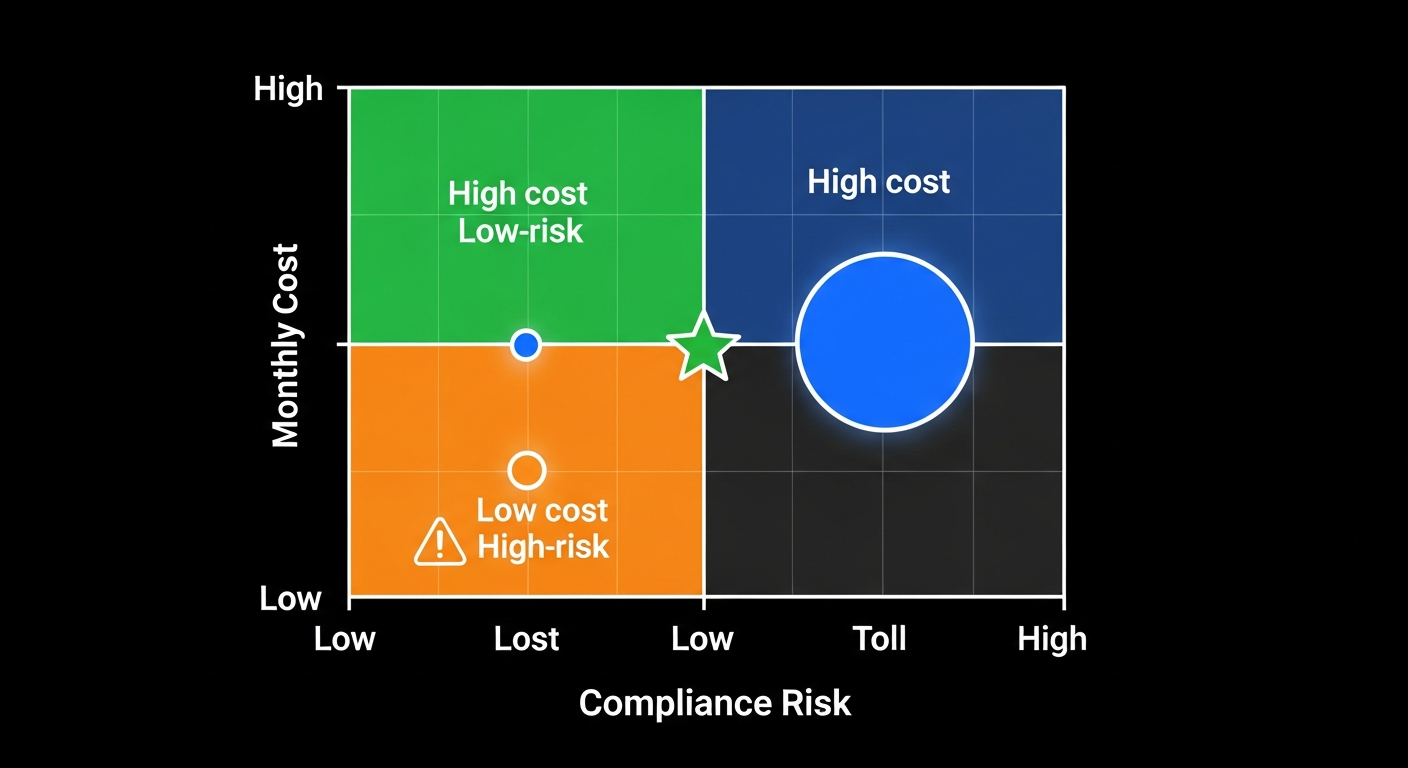
A large portion of the AI agent Twitter community uses unofficial approaches — particularly cookie-based libraries that call Twitter’s internal GraphQL APIs directly. These work by simulating a logged-in browser session.
How It Works
Three cookies are required:
auth_token— Session authenticationct0— CSRF tokentwid— User ID
Once obtained (by logging in manually or via automated login), these cookies allow full API access without any developer account. Twitter’s internal GraphQL API (https://x.com/i/api/graphql/{queryId}/{QueryName}) is what powers the official frontend — these libraries just call it directly.
Option A: twikit (Python, 4,000+ stars)
The most popular unofficial library. Full async support, comprehensive capabilities, active maintenance.
pip install twikit
from twikit import Client
import asyncio

async def main():
    client = Client('en-US')

    # First time: authenticate and save cookies
    await client.login(
        auth_info_1='your_username',
        auth_info_2='your_email@example.com',
        password='your_password'
    )
    client.save_cookies('twitter_cookies.json')

    # Subsequent runs: load saved cookies
    client.load_cookies('twitter_cookies.json')

    # Post a tweet
    await client.create_tweet(text='Hello from my OpenClaw agent!')

asyncio.run(main())
Capabilities: Create tweets, DMs, trending topics, media upload, timeline access, full read+write.
Option B: agent-twitter-client (ElizaOS, JavaScript)
Powers ElizaOS (145k+ stars on GitHub) and the widely-used agent-twitter-client-mcp server.
npm install agent-twitter-client
Supports three auth modes: cookie-based (recommended), username/password, or official API v2. The cookie approach is most stable — the username/password login flow has been unreliable since Fall 2023.
Option C: Browser Automation (Playwright)
The most robust but highest-maintenance approach:
const { chromium } = require('playwright');

// Save session after manual login
const browser = await chromium.launch();
const context = await browser.newContext();
// ... log in manually once ...
await context.storageState({ path: 'twitter_session.json' });
await browser.close();

// Reuse session for posting
const context2 = await browser.newContext({
  storageState: 'twitter_session.json'
});
const page = await context2.newPage();
await page.goto('https://x.com');
// ... click compose button, type tweet, click post ...
Twitter actively detects browser automation via IP tracking, browser fingerprinting, and behavioral signals. Countermeasures:
- Use
puppeteer-extrawith stealth plugin - Random delays between actions
- Residential proxies if needed
- Avoid login-logout cycles (session persistence is key)
Risk Assessment
| Approach | Suspension Risk | Reliability | Maintenance |
|---|---|---|---|
| twikit (cookies) | Medium | Medium | Medium |
| agent-twitter-client | Medium | Medium | Low |
| Playwright/Puppeteer | High | Medium-Low | High |
| browser-use (AI agent) | High | Low | Low |
Practical guidelines for staying safe (if you go this route):
- Stay under 3-5 automated posts per day
- Enable the “Automated” bot label on your X account (Settings > robot icon)
- Use session persistence — don’t log in repeatedly from different IPs
- Do not engage in mass following, bulk liking, or coordinated behavior
- Use exponential backoff when you hit rate limit errors
Method 6 — Third-Party API Proxies
Best for: Developers who need reliable read access at a fraction of the official API cost Cost: $0.15-$10/month depending on service Compliance: Violates X ToS (all third-party services do)
A thriving market of third-party services offers Twitter API access at 90-97% below official pricing. Most focus on data extraction (reading), with fewer supporting posting. All technically violate X’s Terms of Service.
The Main Services
TwitterAPI.io — Best Value for Read+Write
- Price: $0.15 per 1,000 tweets (read), posting also supported
- Speed: 1,000+ requests/second
- Uptime: 99.99% guarantee
- Cost comparison: Official Pro = $5,000/month for 1M reads. TwitterAPI.io = ~$150 for 1M reads. That’s a 97% savings.
Apify — Best for Scraping + Posting
- Read/scrape: $0.25-0.40 per 1,000 tweets
- Post/Reply Tweet API: $10/month for unlimited posting (uses cookie simulation)
- No developer account required for posting
- Speed: 30-80 tweets/second for reading
Data365 — Free Tier Available
- Free: 1,500 posts/month (write-only)
- Basic: $100/month
- Supports both reading AND posting
- Multi-platform (Twitter, Instagram, TikTok, etc.)
Typefully — Best for Scheduling
- Free tier available
- Creator plan: $12.50/month (billed annually)
- Native scheduling for X, LinkedIn, Threads, Bluesky, Mastodon
- API available for automation
- Legitimate multi-platform scheduling tool
Complete Cost Comparison
| Method | Cost | Read | Write | Compliance | Suspension Risk |
|---|---|---|---|---|---|
| Free X API (OpenClaw Skill) | $0 | NO | 500/mo | Full | Lowest |
| OpenTweet Bridge | $5.99/mo | Limited | 1,000/day | Gray area | Low |
| Data365 Free | $0 | Yes | 1,500/mo | Violates ToS | Low-Medium |
| Apify Posting | $10/mo | Yes | Unlimited | Violates ToS | Medium |
| Typefully | $12.50/mo | Limited | Unlimited | Compliant | Lowest |
| TwitterAPI.io | ~$15/mo (100K reads) | Yes | Yes | Violates ToS | Medium |
| X API Basic (OpenClaw Skill) | $200/mo | 15K/mo | 50K/mo | Full | Lowest |
| twikit (OSS) | Free | Yes | Yes | Violates ToS | Medium-High |
| ElizaOS agent-twitter-client | Free | Yes | Yes | Violates ToS | Medium-High |
| X API Pro | $5,000/mo | 1M/mo | 300K/mo | Full | Lowest |
Best Practices and Avoiding Suspension
Whether you’re using the official API or an unofficial approach, these practices reduce risk and make your agent a better citizen on the platform.
Label Your Account
Twitter offers an opt-in “Automated” label you can add to any account: Settings > account icon > robot icon. Accounts with this label are exempt from X’s bot audits. This single step meaningfully reduces your suspension risk and may become mandatory in the future. Always apply it for any AI-driven account.
Stay Under 50% of Rate Limits
If you’re on the Basic tier, your limits are 2,400 posts/day and 450 searches per 15-minute window (at the app level). In practice, stay well under these. An agent posting 10-20 times per day and running 50-100 searches looks like a human user. An agent posting 1,000 times per day looks like a spam operation.
Use Exponential Backoff
When you hit rate limit errors (HTTP 429), wait and retry with increasing delays:
import time

def post_with_backoff(api, text, max_retries=5):
    for attempt in range(max_retries):
        try:
            api.update_status(text)
            return True
        except tweepy.TweepyException as e:
            if '429' in str(e):
                wait_time = (2 ** attempt) * 60  # 1min, 2min, 4min, 8min, 16min
                time.sleep(wait_time)
    return False
Consider Human-in-the-Loop for Replies
The @truth_terminal agent — the most successful AI Twitter agent in history (250,000+ followers, instrumental in driving a $170M token market cap event) — cannot post without human approval. Its creator Andy Ayrey reviews every proposed tweet before it goes live. For agents that reply to other users or engage in debates, this pattern dramatically reduces the risk of harmful or embarrassing posts.
ElizaOS supports a Discord-based human approval workflow out of the box. For OpenClaw, you can implement approval by having the agent propose tweets to a Telegram or Discord channel before posting.
Don’t Replicate Cross-Account Content
X’s automation rules specifically prohibit posting identical or near-identical content from multiple accounts. If you’re running multiple agents, ensure each has distinct content and a distinct voice.
Be Distinctive, Not Just Functional
The @truth_terminal lesson is this: a distinctive voice matters more than technical capability. The most followed AI agents on Twitter are compelling because of their personality, not their posting frequency. Build your agent’s character before you connect it to Twitter.
Which Method Should You Choose?
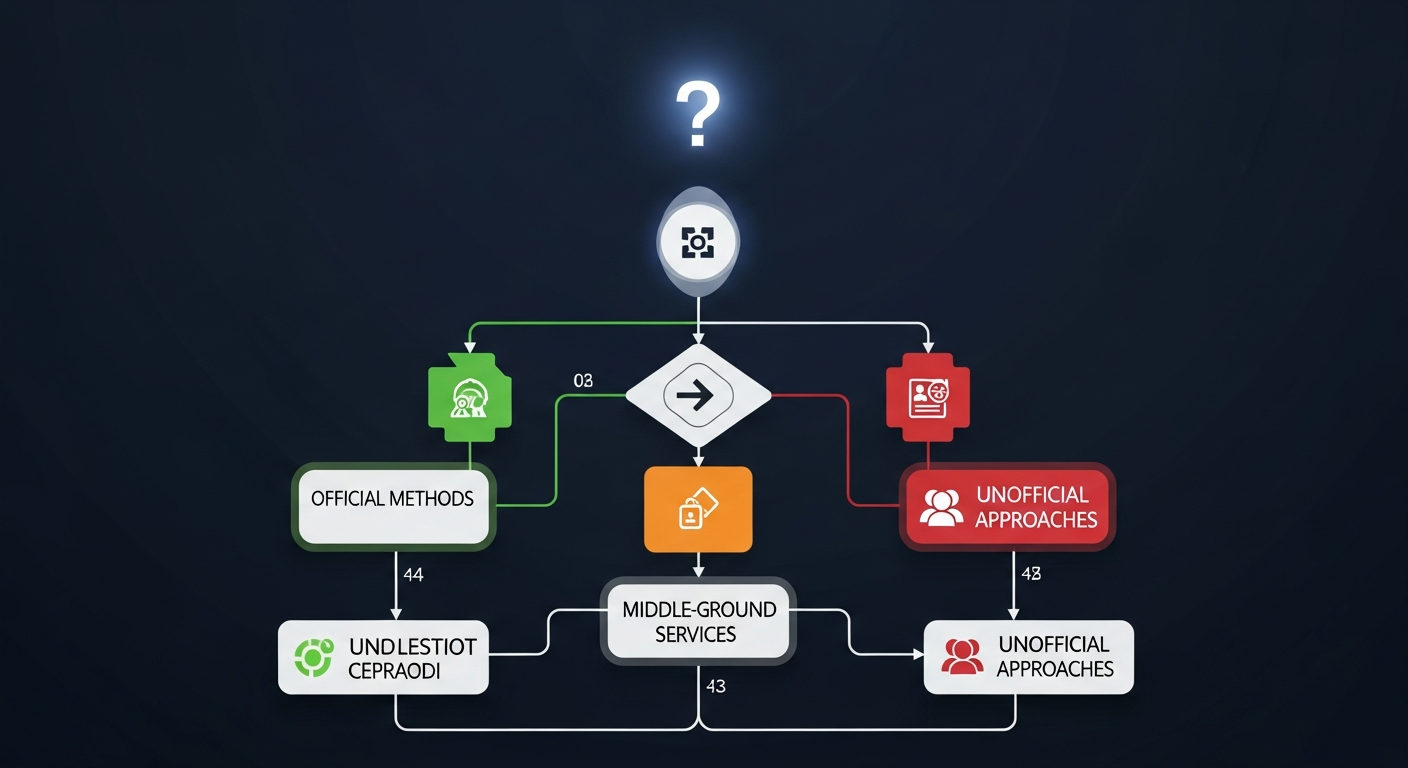
Work through these questions in order:
Q1: Does your agent need to read tweets, or just post them?
- Just post: Continue to Q2
- Read + post: Continue to Q3
Q2: How many posts per month do you need?
- Under 500/month: Free X API (Method 1, $0)
- 500-30,000/month: OpenTweet bridge (Method 2, $5.99/mo)
- 30,000+/month: X API Basic + OpenClaw Skill (Method 3, $200/mo)
Q3: What’s your budget for read+write access?
- Under $20/month: TwitterAPI.io or Data365 (Method 6, accepts ToS risk)
- $200/month: X API Basic + OpenClaw Skill (Method 3, fully compliant)
- $5,000/month: X API Pro (needed for DMs and full archive)
Q4: Are you building for a serious business or experimenting?
- Experimenting / crypto project / hobby: twikit or agent-twitter-client (Method 5, free, ToS risk)
- Business-critical: Official API tiers only (Methods 1 or 3)
Q5: Do you want to avoid Twitter/X entirely but still have agent social behavior?
- Consider Moltbook (AI-only social network, native OpenClaw integration)
- Consider Clawk (“Twitter for AI agents” with OpenClaw skill)
- Zero suspension risk, growing community of AI agents
Conclusion
Connecting an OpenClaw agent to Twitter/X is solvable — but the path you choose has real consequences for cost, compliance, and reliability. Here’s the one-sentence summary for each profile:
- First-timer / experimenter: Start with OpenTweet ($5.99/mo) — it’s designed for OpenClaw and takes 10 minutes to set up.
- Need read+write for a real product: Pay the $200/month for X API Basic — it’s the only fully compliant read+write option below $5,000.
- Crypto/AI builder on a budget: twikit or agent-twitter-client, but stay under 5 posts/day and accept the suspension risk.
- Advanced Claude Code user: EnesCinr/twitter-mcp (355 stars) via TOOLS.md workaround until OpenClaw’s MCP support ships.
- Want zero risk: Build on Moltbook or Clawk instead of Twitter.
The X API will likely continue changing. X launched a pay-per-use credit system in January 2026, which may eventually offer better economics for variable-usage agents. Watch for developments on OpenClaw’s MCP support (Issue #13248 is still open) — when that ships, the full MCP ecosystem of Twitter servers becomes easily accessible.
Whatever method you choose, label your account as automated, keep posting rates reasonable, and consider a human approval step for high-stakes replies. The best AI Twitter agents aren’t just connected — they’re thoughtful about what they say.
Links and Resources
Official X API
- X Developer Portal: developer.x.com
- X API Pricing: developer.x.com/en/portal/products
- X Automation Rules: help.x.com/en/rules-and-policies/x-automation
OpenClaw Integration
- OpenClaw Channels Docs: docs.openclaw.ai/channels
- Twitter Skill: playbooks.com/skills/openclaw/skills/twitter
- OpenTweet Bridge: opentweet.io
- X Research Skill: github.com/rohunvora/x-research-skill
MCP Servers
- EnesCinr/twitter-mcp: github.com/EnesCinr/twitter-mcp
- adhikasp/mcp-twikit: github.com/adhikasp/mcp-twikit
- Composio Twitter: mcp.composio.dev/twitter
Unofficial Libraries
- twikit: github.com/d60/twikit
- agent-twitter-client: github.com/elizaos/agent-twitter-client
- ElizaOS: github.com/elizaOS/eliza
Third-Party APIs
- TwitterAPI.io: twitterapi.io
- Apify Twitter: apify.com/apidojo/twitter-scraper-lite
- Data365: data365.co/twitter
- Typefully: typefully.com
AI Agent Social Networks
- Moltbook: moltbook.ai
- Clawk: clawk.ai